

Compliance Capabilities for Affinity CRM Users
How Affinity CRM Works with Advintek
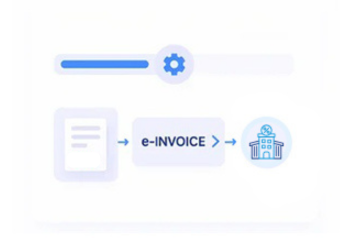
- Record Intake Routing: Selected Affinity CRM billing records enter Advintek according to configured client, matter, and invoicing conditions.
- Relationship Data Mapping: Client, matter, billing, tax, and organizational information is gathered from connected Affinity CRM business records.
- Invoice Rule Assessment: Configured controls evaluate source information before records proceed toward structured electronic document preparation workflows.
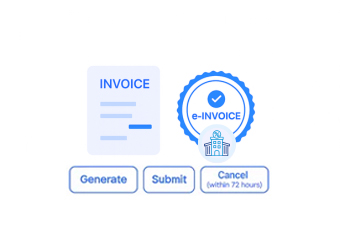
- Document Format Creation: Validated billing information is organized into e-invoices suited to recipient and business requirements.
- Compliance Route Handling: Completed documents follow configured processing routes according to recipient and applicable workflow requirements for processing.
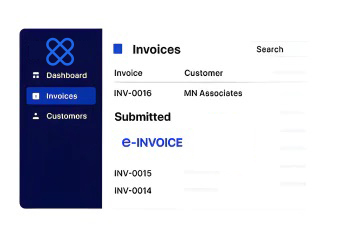
- Status Reference Return: Processing results remain associated with Affinity CRM records for subsequent finance review and administrative follow-up activities.
Inside Advintek’s Affinity CRM Integration
Advintek extends Affinity CRM with a dedicated e-invoicing layer that organizes client, matter, billing, document, financial, and VMI information while preserving established legal practice workflows.
- Relates client information to structured invoice processing
- Aligns matter details with electronic billing records
- Maps financial data across invoice documentation
- Retains transaction references throughout connected workflows
Practical Benefits for Affinity CRM Operations
- Billing Administration Support: Connected billing records can enter e-invoice workflows with less repetitive preparation across finance operations.
- Client Data Consistency: Mapped client information helps maintain consistent identities between Affinity CRM records and resulting electronic documents.
- Matter Billing Visibility: Linked matter references provide finance teams clearer context when reviewing invoices against underlying legal work.
- Document Process Control: Configured workflows support disciplined handling of invoices across client, matter, billing, and finance activities.
- Financial Review Context: Source references help accounting teams examine e-documents alongside originating Affinity CRM billing information.
- Practice System Connectivity: Advintek connects Affinity CRM with surrounding financial applications while preserving established client and matter workflows.
Core Capabilities for Lithuania E-Invoicing
Matter Reference Mapping
Relevant matter identifiers can remain associated with invoice records throughout configured e-processing workflows.
Billing Status Tracking
Invoice processing information can provide finance teams useful visibility across connected billing activities.
Client Document Linking
Client references can remain connected with electronic invoices for subsequent administrative and financial review.
Affinity CRM Support in Lithuania
Affinity CRM users can connect client intake, matters, billing, documents, and financial information with Lithuanian e-invoicing processes while maintaining established practice workflows and source-record relationships across teams.
- Coordinate client billing with electronic invoicing
- Connect matter records with finance workflows
- Review invoices alongside originating billing activity
- Support legal finance through connected records
Connect Legal Practice Workflows With Advintek
Connect Affinity CRM with Lithuania invoice workflows through Advintek.
Discuss your CRM integration needs with specialists.
Ready e-Invoice System
Frequently Asked Questions Affinity CRM E-Invoicing Lithuania
How can Affinity CRM client intake data support invoice creation?
Client intake information can establish the customer identity and associated details required for downstream billing processes. When relevant information flows from Affinity CRM into Advintek, invoice preparation can use established client records rather than requiring finance teams to recreate customer information separately. This supports stronger continuity between client onboarding, billing, and electronic invoicing.
What relationship exists between Affinity CRM matters and invoice records?
Matter information can provide the business context behind a legal invoice, particularly when billing relates to specific client engagements or cases. Connecting matter references with electronic documents allows finance and practice teams to identify the underlying work associated with an invoice, supporting document review without separating billing activity from matter administration.
Can Affinity CRM billing information connect with external accounting systems?
Affinity CRM environments can work with accounting processes and connected financial applications. Advintek can provide an electronic invoicing layer between relevant billing information and downstream financial systems, depending on the configured integration architecture. This allows organizations to define which records originate in Affinity CRM and which financial activities remain managed within their accounting environment.
How should Affinity CRM administrators manage client and billing data mappings?
Administrators should identify the Affinity CRM fields that contain client identities, matter references, billing information, tax attributes, organizational details, and document references. Establishing these mappings before integration helps determine which information should populate electronic invoices and which records should remain within the practice-management environment. Clear mappings also simplify ongoing data administration.
What happens to Affinity CRM records after an invoice is processed?
The originating Affinity CRM record can remain the reference point for the underlying client or billing activity, while Advintek manages the configured electronic invoicing workflow. Relevant processing information can be associated with source references so finance and practice teams can trace documents back to their original billing context when reviewing completed or exception records.