

Compliance Built for Infor CloudSuite Operations
How Advintek Supports Infor CloudSuite Invoicing
- Commercial Record Intake: Selected Infor CloudSuite records enter Advintek according to configured electronic invoicing workflow requirements reliably.
- Invoice Field Interpretation: Procurement, billing, and customer fields are interpreted against configured Lithuania invoicing requirements accurately.
- Transaction Data Validation: Transaction details undergo validation before approved Infor CloudSuite records proceed toward e-document preparation accurately.
- Electronic Document Assembly: Validated ERP information is assembled into structured invoice documents for connected business processes consistently.
- Document Exchange Routing: Prepared documents follow configured exchange routes based on recipient and transaction handling requirements reliably.
- Processing Result Tracking: Processing outcomes remain associated with source records for finance review and operational reconciliation.
Inside Advintek’s Infor CloudSuite Integration
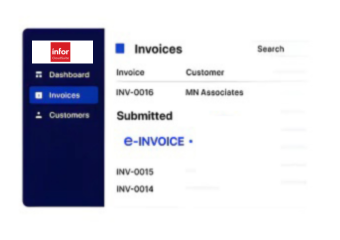
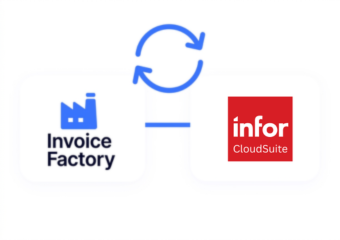
Advintek’s e-invoicing platform connects Infor CloudSuite information with structured invoice processing, helping finance teams coordinate procurement, billing, tax information, customer records, and accounting workflows.
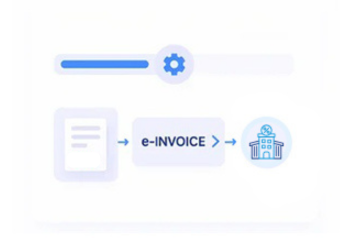
- Extracts procurement and billing data
- Maps CloudSuite fields into invoice structures
- Validates configured information before processing
- Links documents with source transactions
Practical Benefits for Infor CloudSuite Operations
- Faster Billing Coordination: Infor CloudSuite billing information can flow into structured invoice workflows without repeated manual preparation across finance operations.
- Accurate Customer Context: Relevant customer, account, and commercial details remain aligned when CloudSuite records enter E-invoice processing.
- Stronger Process Control: Configured validation rules help finance teams identify incomplete information before documents advance through connected workflows.
- Improved Invoice Traceability: Source references allow users to follow electronic documents back to their originating Infor CloudSuite business records.
- Streamlined Financial Review: Connected invoice information gives accounting teams clearer context when examining billing activity and related transactions.
- Integrated Record Management: Advintek links Infor CloudSuite invoice data with connected financial applications, supporting coordinated information across accounting processes.
Core Capabilities for Lithuania E-Invoicing
Customer Identifier Alignment
CloudSuite customer identifiers can align with electronic invoice records for consistent recipient information.
Invoice Category Classification
Configured invoice categories can support appropriate classification across relevant CloudSuite business transactions.
Source Reference Tracking
Processed documents can retain source references for subsequent finance investigation and audit review.
Infor CloudSuite Invoicing Support in Lithuania
Businesses using Infor CloudSuite can connect procurement, billing, customer, financial, and VMI records with Lithuanian invoicing processes while preserving relationships between source transactions, tax information, E-documents, and connected accounting operations
- Connect procurement records with invoice workflows
- Coordinate billing information across systems
- Review documents against CloudSuite transactions
- Reconcile invoices with financial records
Start Your E-Invoicing Connection
Connect Infor CloudSuite with Lithuania invoice workflows through Advintek.
Discuss your ERP integration requirements with specialists.
Ready e-Invoice System
Frequently Asked Questions Infor CloudSuite e-Invoicing Lithuania
Can Infor CloudSuite manage invoices for different legal entities?
Infor CloudSuite can support organizations operating across multiple legal entities with distinct customer, supplier, tax, and financial structures. Advintek can use the configured entity information when processing electronic invoices, helping maintain the appropriate relationships between organizational records, invoice documents, and corresponding financial workflows.
How can Infor CloudSuite handle invoice exceptions during processing?
Invoice exceptions can occur when required customer information, tax attributes, transaction details, VMI requirements, or document fields do not satisfy configured validation rules. Advintek can identify these conditions within the connected workflow, allowing responsible teams to review the affected Infor CloudSuite records before corrected information continues through invoice processing;.
What Infor CloudSuite data should finance teams review before integration?
Finance teams can review customer master records, supplier information, tax settings, company structures, billing configurations, account mappings, and relevant transaction fields before integration. Establishing clear data relationships helps Advintek interpret Infor CloudSuite information correctly and supports consistent e-invoice preparation across connected business processes.
Does Infor CloudSuite support invoice workflows beyond customer billing?
Infor CloudSuite can contain information associated with procurement, supplier transactions, sales activity, services, inventory, and financial operations. Depending on the configured business process, Advintek can connect relevant ERP records with electronic invoicing workflows, allowing different invoice sources to follow appropriate document preparation and processing rules.
How can Infor CloudSuite users trace an invoice back to ERP activity?
Advintek can maintain references between processed electronic invoices and the Infor CloudSuite records from which their information originated. This gives finance and accounting teams a clearer path for investigating individual documents, checking transaction context, reviewing invoice details, and supporting reconciliation without losing the connection to the ERP source.