Compliance Built Around Desktop Accounting Workflows
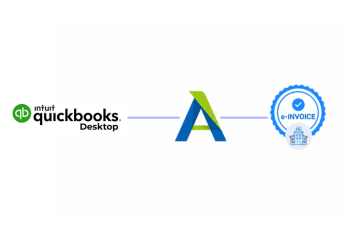
How QuickBooks Desktop Connects With Advintek
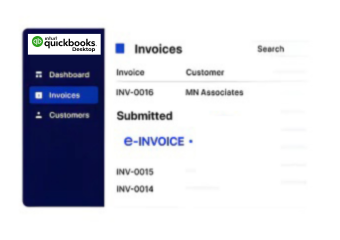
- Desktop Data Extraction: Relevant invoice records are collected from QuickBooks Desktop for processing through Advintek.
- Accounting Data Interpretation: Source fields are interpreted and organized according to the configured electronic invoice structure.
- Compliance Screening: Invoice information passes through configured checks before entering the downstream document workflow.
- Electronic Record Assembly: Accepted information is assembled into structured documents suitable for applicable Lithuanian processing requirements.
- Recipient Delivery Coordination: Completed documents follow configured delivery paths according to recipient and transaction requirements.
- Accounting Response Matching: Processing results can be linked with source records for clearer reconciliation and document oversight.
What Advintek Adds to QuickBooks Desktop Accounting
Advintek provides QuickBooks Desktop with VMI and an additional e-document layer for data preparation, validation, exchange coordination, and accounting reconciliation.
- Extracts invoice information from desktop records
- Structures accounting data for processing
- Screens documents against configured requirements
- Links processing results with source records
Benefits Across QuickBooks Desktop Accounting Workflows
- Less Manual Preparation: Structured processing reduces repeated manual handling between QuickBooks Desktop records and e-invoice documents.
- Cleaner Source Information: Validation controls help identify unsuitable invoice data before documents enter later processing stages and workflows.
- Connected Reconciliation: Source invoices can remain directly associated with processed documents, simplifying comparisons during routine accounting reviews.
- Visible Processing Outcomes: Response information provides finance teams with clearer awareness of successful and exceptional document processing activity.
- Organized Financial Records: Electronic document information can remain securely connected with accounting context for future reference and financial review.
- Adaptable System Connections: QuickBooks Desktop can exchange relevant information with surrounding finance applications through Advintek’s flexible integration layer.
One Compliance Layer for Every Invoice
Exception Review
Processing exceptions can be identified through information, helping accounting teams investigate QuickBooks Desktop records.
Reconciliation Assistance
Electronic invoice records can be associated with source transactions for clearer financial comparison and verification.
Integration Activity
Connected processing activity can be monitored to provide visibility across invoice exchange and system responses.
QuickBooks Desktop Across Lithuania
Businesses using QuickBooks Desktop can connect established accounting practices with structured electronic document processing while continuing to manage core financial records within their existing environment.
- Continue preparing invoices through QuickBooks Desktop
- Connect desktop records with electronic workflows
- Organize processed documents alongside accounting information
- Support reconciliation with connected invoice records
Modernize Your Digital Billing Workflow
Connect your QuickBooks Desktop with Lithuania-ready e-invoice processing.
Discuss your accounting integration requirements with specialists.
Ready e-Invoice System
Frequently Asked Questions QuickBooks Desktop e-Invoicing Lithuania
How can QuickBooks Desktop connect with Lithuania e-invoicing?
QuickBooks Desktop can remain the source environment for invoice and accounting information while Advintek handles specialized electronic document processing. Relevant records can be extracted, interpreted, validated, structured, and routed through configured workflows. This approach allows businesses using desktop accounting software to connect with electronic invoicing processes without replacing their established accounting environment.
Can QuickBooks Desktop data support i.SAF processes?
QuickBooks Desktop invoice records can provide relevant information for connected i.SAF-related workflows. VMI identifies i.SAF as the electronic invoice subsystem within Lithuania’s i.MAS environment, including functionality for VAT invoice register data. Advintek can organize applicable accounting information before it enters a configured reporting or electronic document process.
What happens to QuickBooks Desktop records after validation?
Once relevant invoice information has passed configured checks, the data can proceed into the appropriate electronic document workflow. Processing information can also remain associated with the originating accounting record. This creates a clearer connection between the invoice created in QuickBooks Desktop and its subsequent electronic processing activity.
Can QuickBooks Desktop support SABIS-related documents?
For applicable transactions involving public-sector entities or other contracting authorities, relevant QuickBooks Desktop invoice information can be prepared for SABIS-related electronic accounting document workflows. VMI states that electronic accounting documents for applicable public-sector procurement processes are received and processed through SABIS.
Does Advintek replace QuickBooks Desktop accounting?
No. QuickBooks Desktop can continue serving as the accounting environment for invoice creation and financial record management. Advintek adds the specialized integration and document-processing layer around those records. This separation allows businesses to retain their existing desktop accounting workflow while connecting relevant information with electronic invoicing and compliance processes.