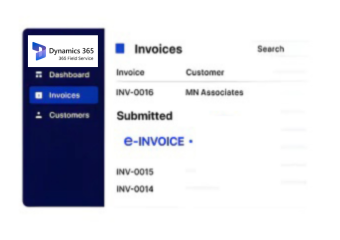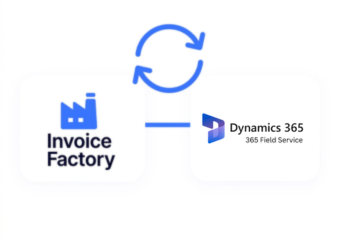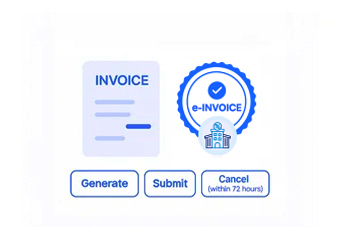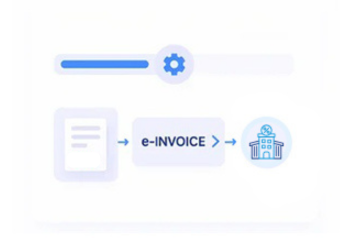


Compliance That Fits Microsoft Dynamics 365 Field Service Users
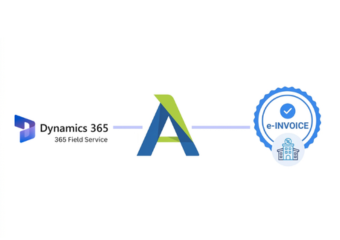
How Microsoft Dynamics 365 Field Service Connects
- Work Order Intake: Relevant Microsoft Dynamics 365 Dynamics work orders enter Advintek according to configured service, billing, and processing conditions.
- Service Data Collection: Customer, technician, asset, product, tax, and work information is gathered from connected service records and transactions.
- Billable Review Process: Configured rules assess service information before records advance toward electronic invoice preparation and validation workflows.
- Invoice Data Formation: Validated field service information is organized into electronic invoices suited to recipient requirements and processing workflows.
- Document Delivery Routing: Completed invoices follow configured routes based on customer, transaction, and connected service process requirements.
- Processing Status Linking: Results remain associated with originating work orders for financial review, reconciliation, and service administration activities.
What Advintek Adds to Microsoft Dynamics 365 Field Service
Advintek extends Microsoft Dynamics 365 Field Service with electronic invoicing capabilities, connecting completed service activity with structured billing and compliance workflows while preserving relationships between work orders, customers, assets, and financial records.
- Connects work orders with invoice processing
- Links service parts with billing documents
- Associates customers with completed service
- Extends field activity into finance
Benefits for Microsoft Dynamics 365 Field Service Operations
- Service Billing Continuity: Completed field activities can progress into electronic invoicing without duplicating service information across systems.
- Work Order Visibility: Linked work order references help finance teams understand invoices against originating service activities.
- Asset Billing Context: Service asset information provides additional context when invoices relate to equipment maintenance or field work.
- Parts Cost Clarity: Connected product information helps identify parts associated with billable service transactions and customer charges.
- Customer Record Consistency: Mapped customer information supports consistent identities between Microsoft Dynamics 365 Field Service records and electronic invoices.
- Finance Coordination: Advintek connects service-generated billing information with financial workflows while preserving operational ownership within Field Service.
Microsoft Dynamics 365 Field Service E-Invoicing Capabilities
Service Event Mapping
Relevant service events can remain associated with invoice records throughout configured electronic processing workflows.
Asset Reference Linking
Equipment identifiers can accompany billing documents when service transactions require asset-level financial context.
Billing Exception Review
Processing information can identify incomplete service records before invoices continue toward downstream document handling.
Microsoft Dynamics 365 Field Service Support in Lithuania
Businesses using Microsoft Dynamics 365 Field Service can connect service delivery, work orders, assets, parts, customers, and billing with Lithuania e-invoicing processes while retaining operational service records.
- Connect completed work with invoicing
- Associate service assets with documents
- Link parts usage with billing
- Support finance through service references
Automate Service Records With Lithuania Billing
Connect Dynamics 365 Field Service with Lithuania invoice workflows through Advintek.
Discuss your Field Service integration needs today.
Ready e-Invoice System
Frequently Asked Questions Microsoft Dynamics e-Invoicing Lithuania
What triggers an invoice from Microsoft Dynamics 365 Field Service?
Invoice generation can be associated with configured service transactions rather than every Microsoft Dynamics 365 Field Service record. Organizations can determine which completed activities, billable services, products, or customer transactions should enter the electronic invoicing workflow. Advintek then processes the selected information while Field Service remains responsible for the underlying operational transaction.
How does Microsoft Dynamics 365 Field Service connect service work with billing?
Microsoft Dynamics 365 Field Service can contain the operational information describing what was performed for a customer, while billing processes determine the financial treatment of that work. Advintek can connect the relevant service and billing information, allowing electronic invoices to reflect the commercial transaction without requiring service teams to recreate completed work for finance.
Can mobile Microsoft Dynamics 365 Field Service data feed electronic invoices?
Information captured through Microsoft Dynamics 365 Field Service applications can become part of the underlying service record used for billing, depending on the organization’s configuration. Relevant customer, work, product, or service information can subsequently enter Advintek through the connected integration. This creates a pathway from field activity to electronic documentation without transferring unnecessary mobile-service information.
How are different Microsoft Dynamics 365 Field Service business units handled?
Organizations can structure Microsoft Dynamics 365 Field Service operations across business units, service territories, teams, or other organizational arrangements. Relevant organizational information can be included in integration mappings so invoice processing can distinguish transactions and VMI requirements appropriately. This allows businesses to maintain their existing operational structure while applying the required electronic invoicing configuration to connected transactions.
What integration controls should Microsoft Dynamics 365 Fied Service administrators define?
Administrators should establish which Microsoft Dynamics 365 Field Service entities, fields, business rules, and transaction states can participate in invoicing. They should also define data ownership, synchronization behavior, validation requirements, exception handling, and downstream finance responsibilities. Establishing these controls helps prevent unnecessary data transfer and creates a clearer boundary between Microsoft Dynamics 365 Field Service operations and electronic invoice processing.