

Compliance for Microsoft Dynamics 365 Sales Users
Microsoft Dynamics 365 Sales and Advintek Flow
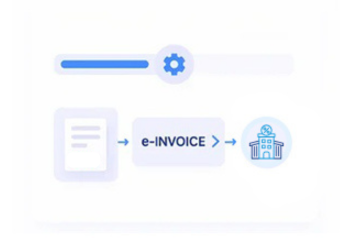
- Sales Record Selection: Relevant Microsoft Dynamics 365 sales records enter Advintek according to configured order, account, and billing conditions.
- Customer Context Assembly: Account, contact, product, tax, and transaction information is gathered from connected Microsoft Dynamics 365 sales records.
- Commercial Rule Review: Configured controls assess transactions before records advance toward electronic invoice document preparation and processing.
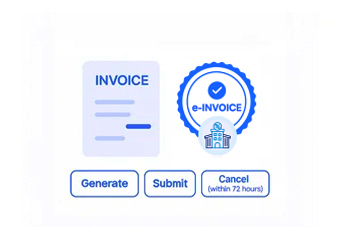
- Invoice Structure Creation: Validated sales information is organized into electronic invoices suited to recipient and business requirements.
- Document Exchange Routing: Completed invoices follow configured routes based on recipient, transaction, and connected workflow requirements externally.
- Processing Result Association: Processing outcomes remain linked with originating sales records for finance review and customer administration.
What Advintek Adds to Microsoft Dynamics 365 Sales
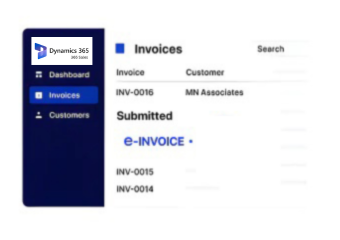
Advintek adds an e-invoicing layer around Microsoft Dynamics 365 Sales, connecting customer management and commercial transactions with structured invoice processing while allowing sales teams to retain their established account and opportunity workflows.
- Connects account records with invoice processing
- Links sales orders with financial documents
- Associates opportunities with customer billing workflows
- Extends sales data into compliance workflows
Benefits for Microsoft Dynamics 365 Sales Operations
- Revenue Process Continuity: Connected billing information can progress into electronic invoicing without disrupting established sales administration processes.
- Customer Information Quality: Mapped account information helps reduce inconsistencies between Microsoft Dynamics 365 sales records and electronic invoice documents.
- Order Billing Visibility: Linked order references give finance teams clearer context when reviewing customer invoices against sales activity.
- Pipeline Conversion Context: Commercial information remains connected when opportunities progress into orders, billing, and invoice generation activities.
- Finance Review Support: Source references help accounting teams examine invoices alongside originating customer and sales transactions processes.
- Sales System Connectivity: Advintek connects Microsoft Dynamics 365 sales processes with financial applications while preserving established customer management responsibilities.
Core Capabilities for Lithuania E-Invoicing
Account Reference Control
Customer account references can remain associated with electronic invoices throughout configured processing workflows.
Order Line Context
Relevant order information can accompany invoice records for subsequent commercial and financial review.
Customer Data Validation
Configured checks can identify missing customer information before documents proceed through invoice processing.
Microsoft Dynamics 365 Sales in Lithuania
Businesses using Microsoft Dynamics 365 Sales can connect customer management, opportunity progression, orders, billing, and finance with Lithuanian e-invoicing while retaining relationships between commercial records and processed documents.
- Coordinate customer accounts with invoice workflows
- Connect sales orders with electronic documents
- Review billing against originating sales activity
- Support finance through connected source references
Connect Your Sales Workflow With Advintek
Integrate Microsoft Dynamics 365 Sales with Lithuania invoice workflows through Advintek.
Discuss your Dynamics integration requirements with specialists.
Ready e-Invoice System
Frequently Asked Questions Microsoft Dynamics e-Invoicing Lithuania
How can Microsoft Dynamics 365 Sales opportunities connect with invoicing?
Opportunities represent commercial prospects before they become completed sales transactions. Once an opportunity progresses into the relevant customer, quote, order, or billing process, appropriate information can be passed into the configured invoicing and VMI workflow. This allows Advintek to work with the transaction that actually supports invoice creation while preserving the broader sales context.
What role do Microsoft Dynamics quotes play before invoice generation?
Quotes can contain important commercial information that precedes an eventual order and invoice. Depending on the configured sales process, relevant quote information can support continuity when a customer transaction progresses toward billing. Advintek can use the appropriate downstream sales record rather than treating the quote itself as the final invoice source.
How are Microsoft Dynamics account and contact records handled?
Accounts and contacts serve different purposes within customer management. The integration can distinguish organization-level customer information from individual contact details when preparing invoice-related records. This helps ensure that electronic documents use the appropriate customer identity while preserving contact information for the sales processes where it remains relevant.
Can Microsoft Dynamics 365 Sales support different sales teams and ownership structures?
Sales organizations may divide accounts, opportunities, and transactions among teams or responsible users. Relevant ownership information can remain within Microsoft Dynamics 365 Sales while invoice processing uses the underlying transaction data required for electronic documents. This separation allows sales administration to remain inside Dynamics while finance manages the connected invoicing process.
What happens when an opportunity becomes an order in Microsoft Dynamics 365 Sales?
Opportunity conversion can create a new stage in the commercial record, with customer and transaction information continuing into subsequent sales activities. Once the relevant order or billing record becomes available, Advintek can use that source information for electronic invoice processing. This helps maintain continuity from sales progression into financial documentation without treating every sales stage as an invoice.