Compliance Capabilities for Epicor Kinetic Users
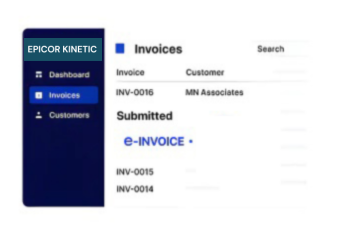
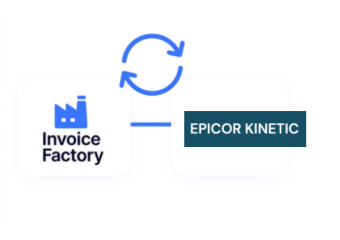
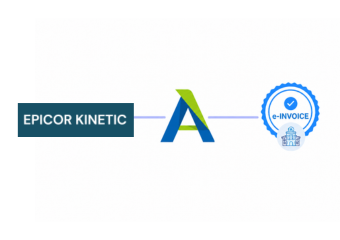
How Epicor Kinetic Connects with Advintek
- Order Data Selection: Relevant Epicor Kinetic sales and order information is identified and prepared for electronic invoice processing through Advintek.
- Billing Information Mapping: Customer, product, pricing, tax, and billing details are mapped into the fields required for structured invoice records.
- Invoice Data Verification: Mapped information is reviewed against configured rules to identify missing, inconsistent, or unsuitable invoice details before processing.
- Structured Invoice Preparation: Verified data is converted into organized e-invoice records while retaining relevant references from the original Epicor Kinetic transactions.
- Delivery Path Management: Prepared invoice records are directed through the appropriate configured route based on recipient, transaction type, and business requirements.
- Status and Record Tracking: Processing results remain connected to source ERP information, supporting invoice status review, and subsequent accounting activities.
What Advintek Connects Across Epicor Kinetic
Advintek connects Epicor Kinetic data with Lithuanian e-invoicing and VMI workflows, helping manufacturers coordinate ERP, finance, sales, and compliance operations.
- Extracts transaction data from Epicor Kinetic
- Structures ERP information for invoice processing
- Applies controls across configured invoice fields
- Links documents with originating ERP records
Benefits for Epicor Kinetic Operations
- Automated Invoice Preparation: Automated invoice preparation reduces repetitive administrative work across Epicor Kinetic finance and commercial operations.
- Consistent Data Mapping: Structured mappings improve consistency between ERP transactions, customer accounts, tax information, and resulting invoice records.
- Finance Process Visibility: Connected records give finance teams clearer oversight across billing activity and document processing workflows.
- Transaction Review Support: Source references simplify comparisons between electronic invoices and corresponding Epicor Kinetic transaction records during reviews.
- Controlled Document Handling: Configured controls support consistent handling of invoices generated from approved ERP business activities and processes.
- Financial System Connectivity: Advintek connects Epicor Kinetic with accounting applications through coordinated financial data workflows efficiently together.
Core Epicor Kinetic Capabilities for Lithuania
Customer Account Mapping
Customer identifiers can align across Epicor Kinetic and electronic invoice records.
Transaction Tax Classification
Configured tax categories can support consistent treatment across invoice transactions.
Electronic Document Archiving
Processed invoice records can retain accessible references for subsequent financial review.
Epicor Kinetic Support in Lithuania
Manufacturers using Epicor Kinetic can connect ERP information with Lithuania invoicing workflows while maintaining relationships between customer accounts, orders, tax records, invoices, and financial systems.
- Connect ERP transactions with invoice workflows
- Coordinate customer accounts across financial systems
- Review documents through Epicor records
- Reconcile invoices with originating ERP activity
Start Lithuania E-Invoicing Integration
Connect Epicor Kinetic with Lithuanian invoice workflows through Advintek.
Discuss your ERP integration requirements with specialists.
Ready e-Invoice System
Frequently Asked Questions Epicor Kinetic ERP E-Invoicing Lithuania
How can Epicor Kinetic support order-to-cash invoicing?
Epicor Kinetic can serve as the operational source for customer orders, sales information, and related commercial records. Advintek can connect these ERP processes with electronic invoice preparation, allowing businesses to maintain continuity between order management, billing activity, document processing, and downstream finance operations.
What ERP master data matters when configuring Epicor e-invoicing?
Important master data can include customer accounts, addresses, tax classifications, product information, business entities, and invoice-related configuration. Reviewing these structures before implementation helps establish accurate mappings between Epicor Kinetic and the e-invoicing platform, reducing inconsistencies when ERP information is transformed into electronic documents.
Where does tax classification fit within an Epicor invoice workflow?
Tax classification provides important information for determining how applicable invoice transactions should be represented. Advintek can use configured Epicor Kinetic tax information when preparing electronic documents, helping finance teams maintain alignment between ERP transaction data and the requirements associated with Lithuanian invoicing processes.
Can Epicor Kinetic invoicing support centralized finance operations?
A connected workflow can allow finance teams to work with invoice information originating from different operational areas while maintaining Epicor Kinetic as the underlying ERP source. Advintek can coordinate document processing with connected financial applications, supporting a more organized approach to centralized invoice oversight and accounting.
How does an e-invoicing platform complement Epicor Kinetic?
An e-invoicing platform can handle the specialized electronic document layer around an existing ERP without replacing its core functionality. Advintek can connect Epicor Kinetic with document preparation, validation, exchange, and financial workflows, allowing organizations to extend their invoicing capabilities while retaining established ERP processes.