

Compliance Capabilities for Microsoft Power Automate
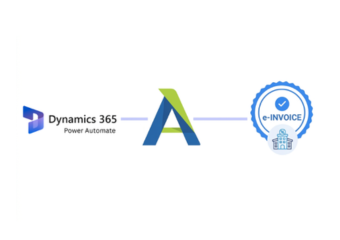
How Microsoft Power Automate Runs with Advintek
- Business Event Detection: Microsoft Power Automate identifies configured business events that require an electronic invoicing workflow to begin automatically.
- Connected Application Coordination: Connected applications exchange selected information through automated flows without requiring repetitive manual data transfers.
- Invoice Approval Orchestration: Invoice information can pass through designated approval stages before reaching E-document processing workflows.
- Conditional Rule-Based Routing: Configured conditions determine which workflow path applies to different transaction or document processing scenarios.
- Document Service Handoff: Approved information is passed to Advintek for specialized electronic invoice processing and exchange activities.
- Workflow Response Handling: Processing responses can trigger subsequent actions across finance, ERP, notification, or document management applications automatically.
Inside Microsoft Power Automate Integration
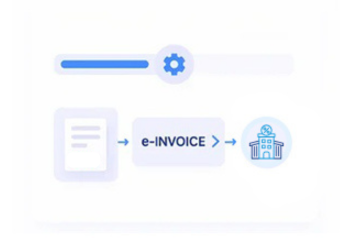
Advintek adds specialized e-invoicing services to Microsoft Power Automate, allowing automated business flows to coordinate ERP applications, approvals, finance systems, documents, and invoice processing.
- Starts processes from configured business events
- Coordinates information between connected applications
- Routes approvals through defined workflow paths
- Triggers follow-up actions after processing
What Microsoft Power Automate Users Gain
- Connected Process Automation: Microsoft Power Automate can coordinate invoice activities across ERP, finance, approval, and document applications.
- Automated Approval Handling: Defined workflow paths can reduce manual coordination between invoice submitters, reviewers, finance teams, and VMI processes.
- Flexible Business Rules: Conditional logic can direct different invoice scenarios toward appropriate processing and review activities.
- Cross Application Coordination: Connectors allow relevant information to move between business systems without duplicating established application processes.
- Exception Workflow Support: Specific conditions can initiate alternative actions when invoice information requires investigation or additional business review.
- Operational Workflow Visibility: Automated responses can help teams monitor process stages across connected applications and finance activities.
Microsoft Power Automate Capabilities for Lithuania E-Invoicing
Workflow Event Triggers
Configured events can initiate e-invoice processes across connected ERP and business applications.
Conditional Process Routing
Business conditions can direct invoice activities toward appropriate automated workflow branches.
Approval Action Coordination
Invoice approvals can connect responsible users with subsequent electronic document processing stages.
Microsoft Power Automate Workflows in Lithuania
Organizations using Microsoft Power Automate can automate the business processes surrounding electronic invoicing while connecting ERP systems, finance applications, approval teams, document services, and other operational platforms.
- Automate invoice-related approval sequences
- Connect applications through workflow automation
- Route exceptions toward responsible teams
- Trigger actions from processing outcomes
Connect Microsoft Power Automate Today
Connect your Microsoft Power Automate workflows with Lithuanian e-invoicing processes.
Discuss your automation requirements with specialists.
Ready e-Invoice System
Frequently Asked Questions Power Automate e-Invoicing Lithuania
Can Microsoft Power Automate initiate invoicing from ERP events?
Microsoft Power Automate can monitor configured events from connected ERP applications and initiate downstream actions when those conditions occur. Instead of making the ERP responsible for every surrounding process, organizations can use Power Automate to coordinate the steps that lead from a business event toward electronic invoice preparation through Advintek.
How can approval chains be automated before invoice submission?
Approval chains can be designed as workflow stages within Microsoft Power Automate. Depending on the business process, invoice information can be sent to designated reviewers, follow conditional approval paths, and continue toward Advintek only after the required business action has been completed.
Can different invoice scenarios follow separate automation paths?
Yes. Microsoft Power Automate supports conditional workflow logic that can distinguish between business scenarios and direct them toward different actions. Organizations can configure separate routes for particular transaction categories, approval requirements, document conditions, or exception situations before the relevant information reaches the e-invoicing process.
What can Microsoft Power Automate do when invoice processing needs human review?
A workflow can be configured to pause automated processing and involve a designated person when a particular condition requires attention. This can support review of incomplete information, unusual transactions, approval issues, or processing responses before the workflow continues with its next configured action.
How can Microsoft Power Automate connect e-invoicing with finance operations?
Microsoft Power Automate can coordinate actions between Advintek and connected finance applications after relevant invoice processing events occur. Depending on the configured architecture, workflow actions can notify finance teams, update connected systems, initiate follow-up processes, or pass relevant processing information to downstream applications.